What Changed
TideWave can now generate Mermaid diagrams. Ask it to visualize your code, and it produces the diagram.
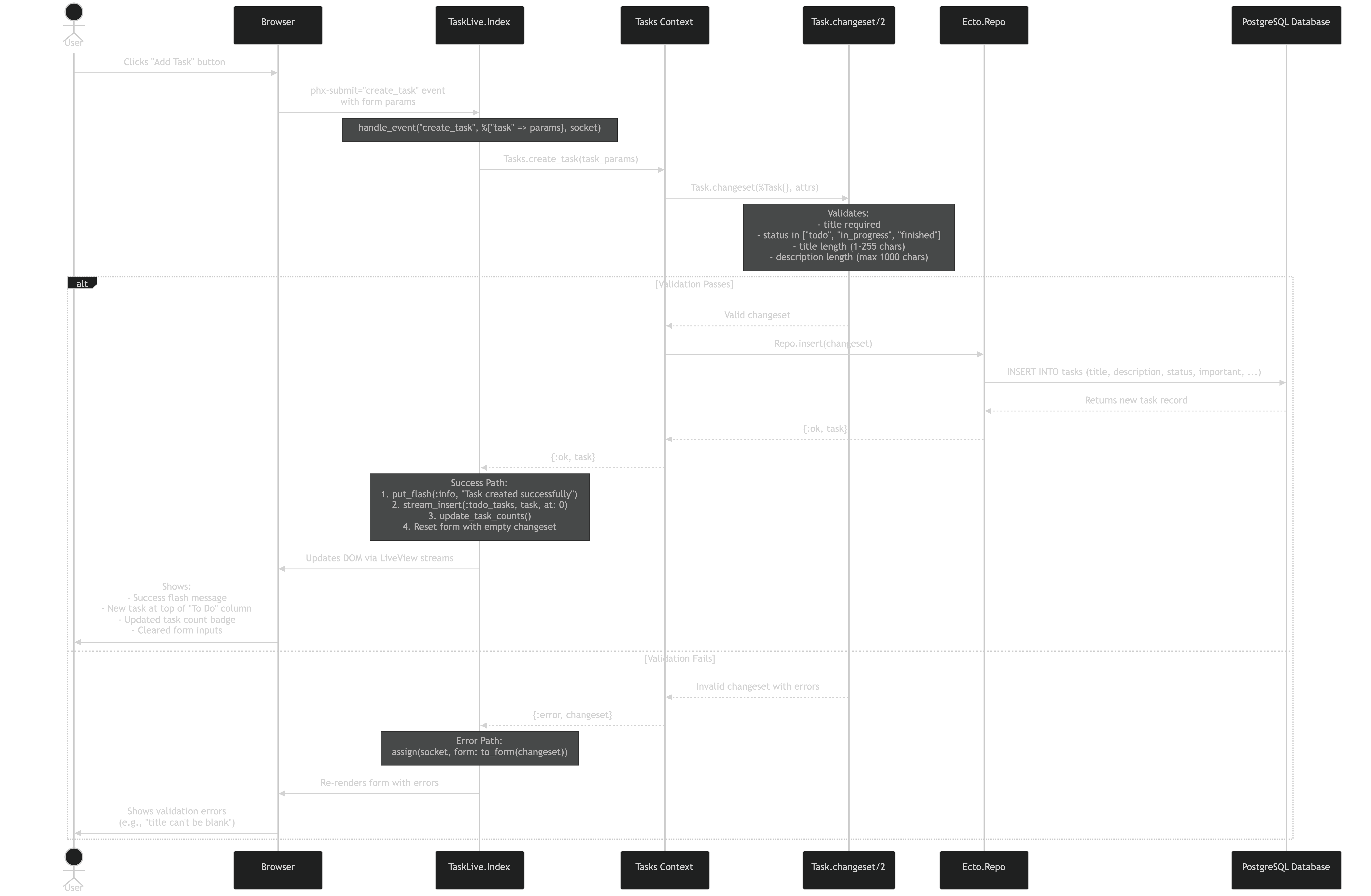
That’s a Mermaid diagram showing what happens when you click “Add Task” in a Phoenix LiveView app. TideWave generated this by tracing through the actual code.
What I’m Using It For
Understanding Legacy Code: Asked TideWave to show how contexts interact in an inherited Elixir project. Got a clean diagram of data flow. Saved hours.
Database Schemas: TideWave queries the database and generates ER diagrams showing relationships and foreign keys. Useful for onboarding.
Debugging LiveView: Asked it to trace what happens when a user clicks a button. It cross referenced the client event with server code and queries, then drew the sequence. Made the bug obvious.
Post-Feature Documentation: After implementing a feature, ask TideWave to generate sequence diagrams. Takes 30 seconds instead of 30 minutes.
Why It Works
It has context: TideWave already has access to your code, database, and runtime behavior. Diagrams are based on your actual system.
It’s fast: One sentence to get a diagram instead of manual tool fighting.
It stays current: Regenerate when code changes. No outdated diagrams.
For Elixir
- Visualize GenServer message passing
- Show supervision tree structure
- Map Phoenix context boundaries
TideWave’s diagram generation makes understanding complex Elixir systems faster. It’s particularly useful when dealing with concurrent processes and supervision hierarchies that are hard to visualize manually.
Tags: #tidewave #ai-tools #elixir #mermaid #diagrams